Tap to Pay on iPhone
The iPhone is the terminal. Accept contactless cards, Apple Pay, and Google Pay against the customer's card.
Mobile detailers charge in the driveway. Shop owners charge at the car, not back at a desktop.
Payments
A phone tap in the driveway, a swipe at the counter, a link opened at home — all of it reconciles to one record. No manual reconciliation at the end of the day.
Whichever way a customer pays, the money lands on the same order.
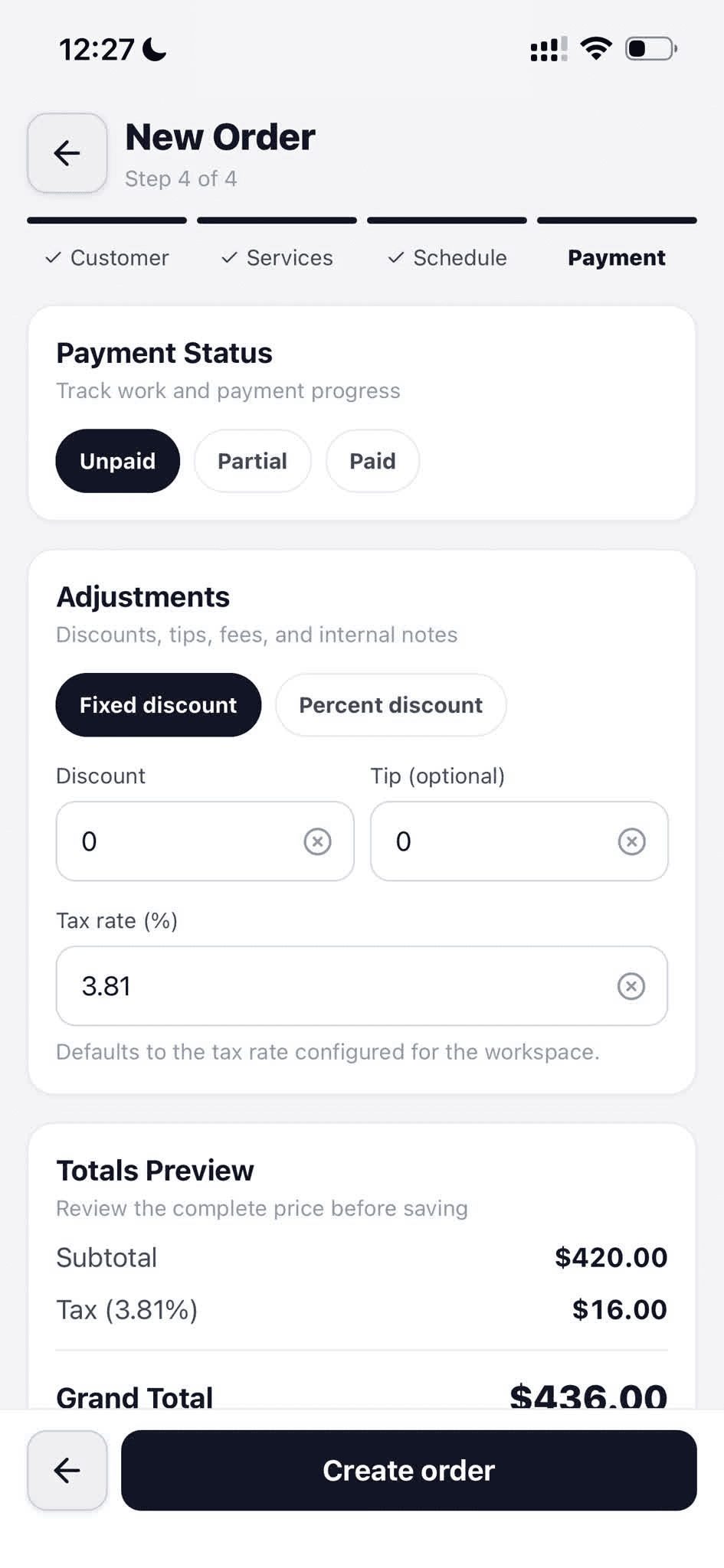
The order shows adjustments, tax, and tip before collection.
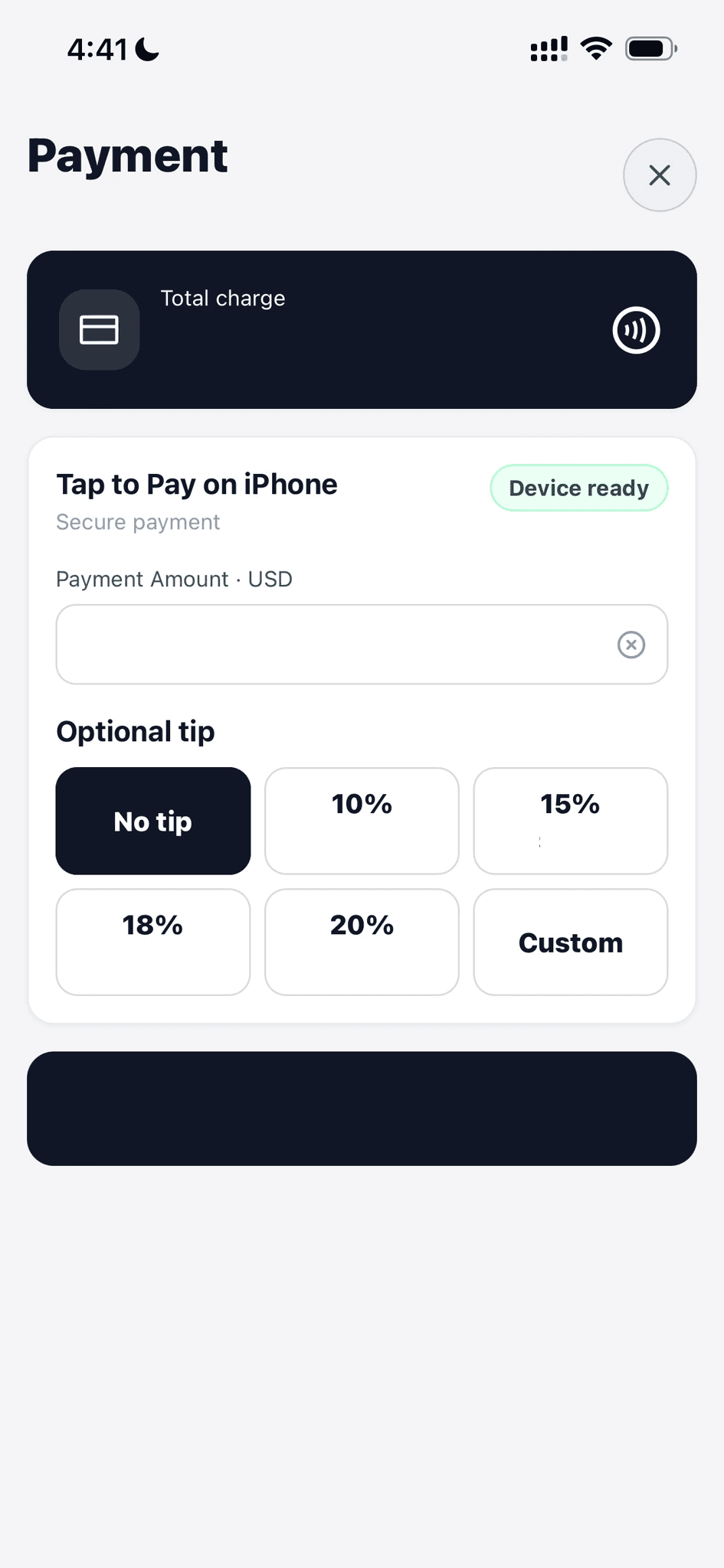
Tap to Pay on iPhone shows the charge and tip choices together.
The customer holds a contactless card near the iPhone to pay the charge.
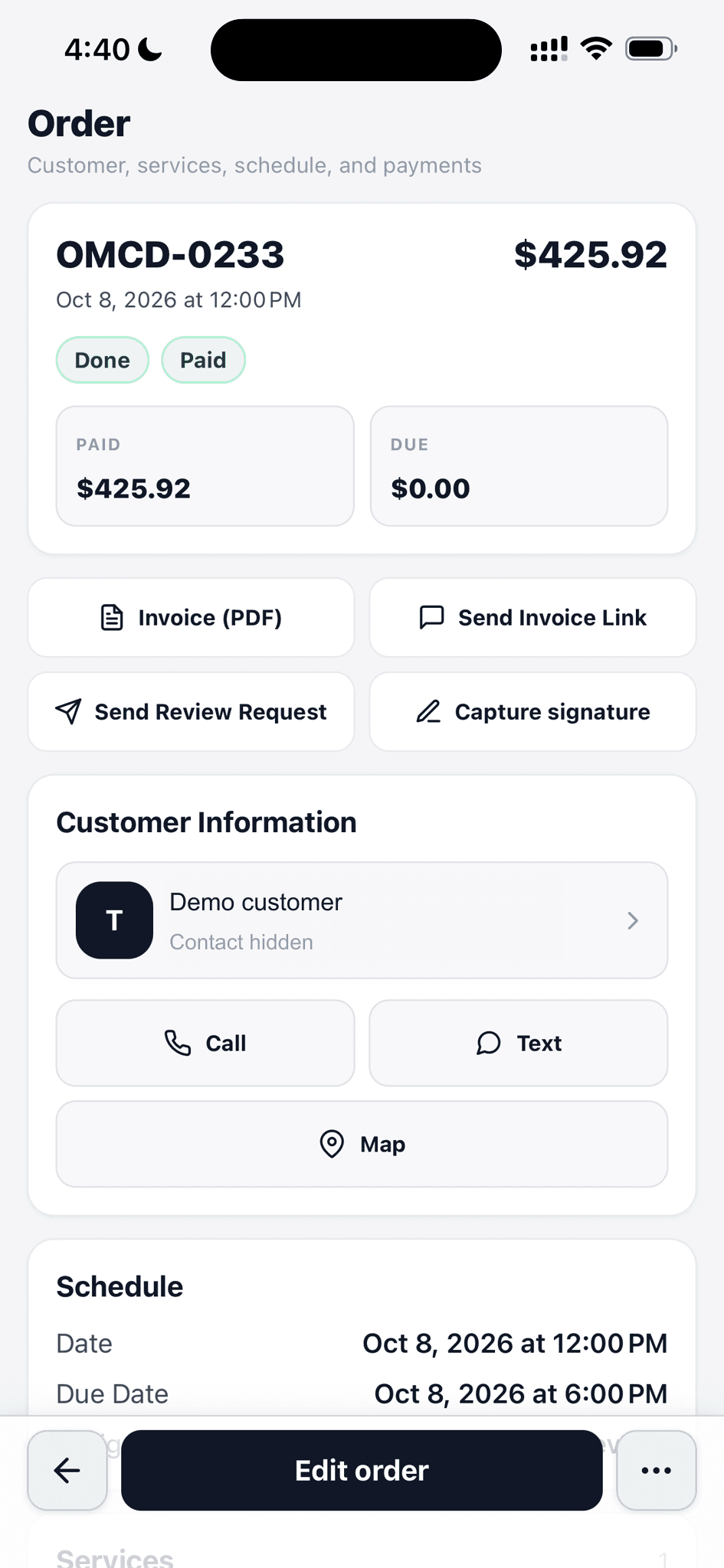
The paid order keeps its invoice, amount paid, and amount still due together.
Whichever way a customer pays, the money lands on the same order.
The iPhone is the terminal. Accept contactless cards, Apple Pay, and Google Pay against the customer's card.
Mobile detailers charge in the driveway. Shop owners charge at the car, not back at a desktop.
Plug in a Stripe reader for card-present transactions with receipt printing. Same order record.
The cash-register flow an office-managed shop expects, without leaving the CRM.
Generate a per-order link, share by text, email, or QR scan. Customer pays from their phone.
Works when you can't hand over a terminal — late pickup, remote billing, after-the-fact invoice.
When a customer agrees to the work, collect a deposit through the payment flow. The remaining balance tracks on the order.
Deposits lock in the Saturday slot. No more no-shows after holding the bay for a week.
Customer adds a tip on Tap to Pay or a payment link. Tip lands on the order and rolls up on staff reports.
Staff sees their tips; you see totals — no side spreadsheet, no arguments.
Signed PDF receipt with line items, tax, tip, and payment method. Delivered by SMS, email, or saved as file.
Everyone gets what they expect. No calls asking 'can you send me the receipt?'
Use Stripe Connect for full integration, or paste in your own Stripe keys if you already have an account.
No migration friction if you've been on Stripe already. Onboard in minutes, not a week.
Walk through a real job with your services, team, and customer flow in mind.