Plans with recurring prices
Give each plan a name, description, price, and weekly, monthly, or yearly billing interval.
The team can quote the same membership terms every time.
Memberships
Build a plan with a recurring price, included services, usage limits, and member discounts. Assign it to a customer or vehicle, choose Stripe or manual billing, then follow the billing period, service usage, and first payment from the membership record.
Create weekly, monthly, or yearly plans, assign them to customers or vehicles, and keep billing and service usage together.
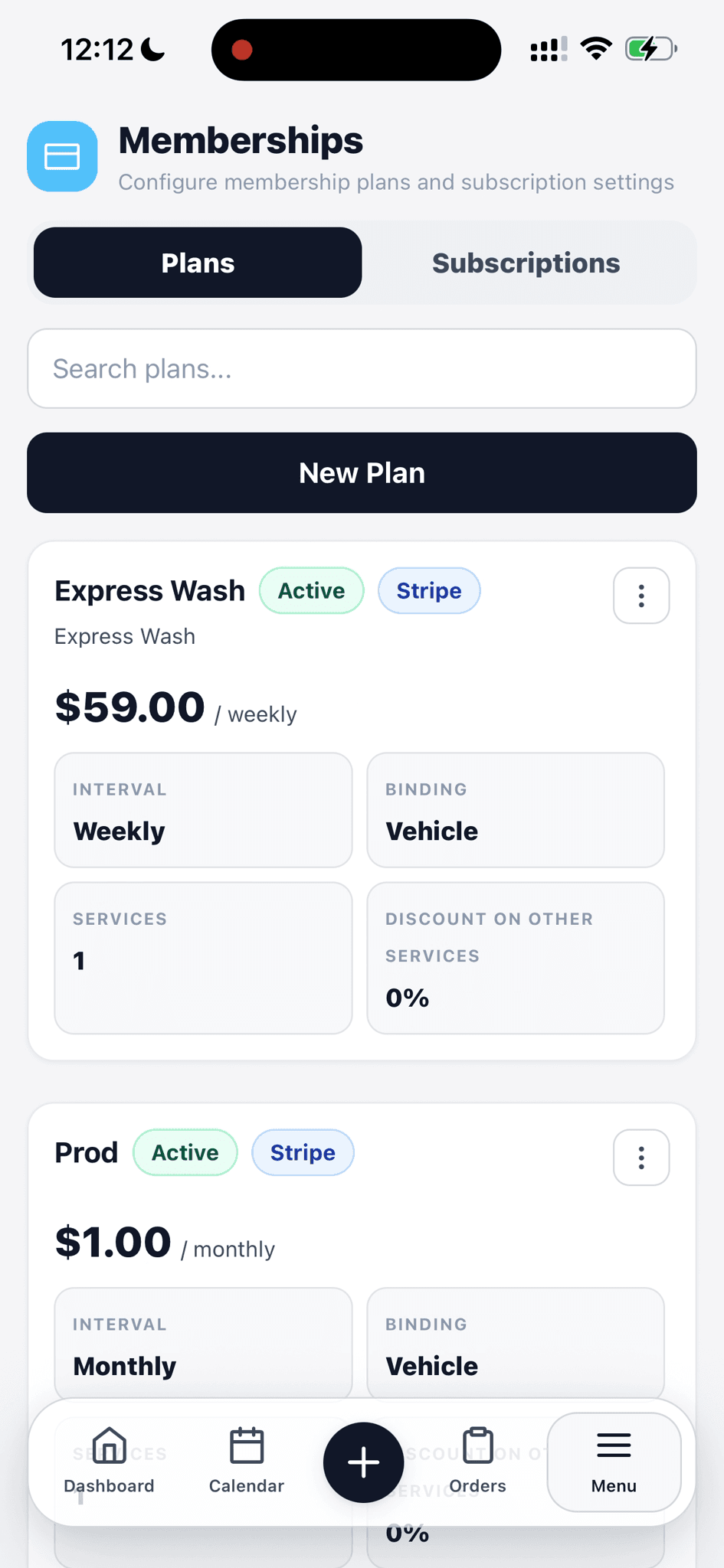
Scan the price, billing interval, binding, services, and status of each plan.
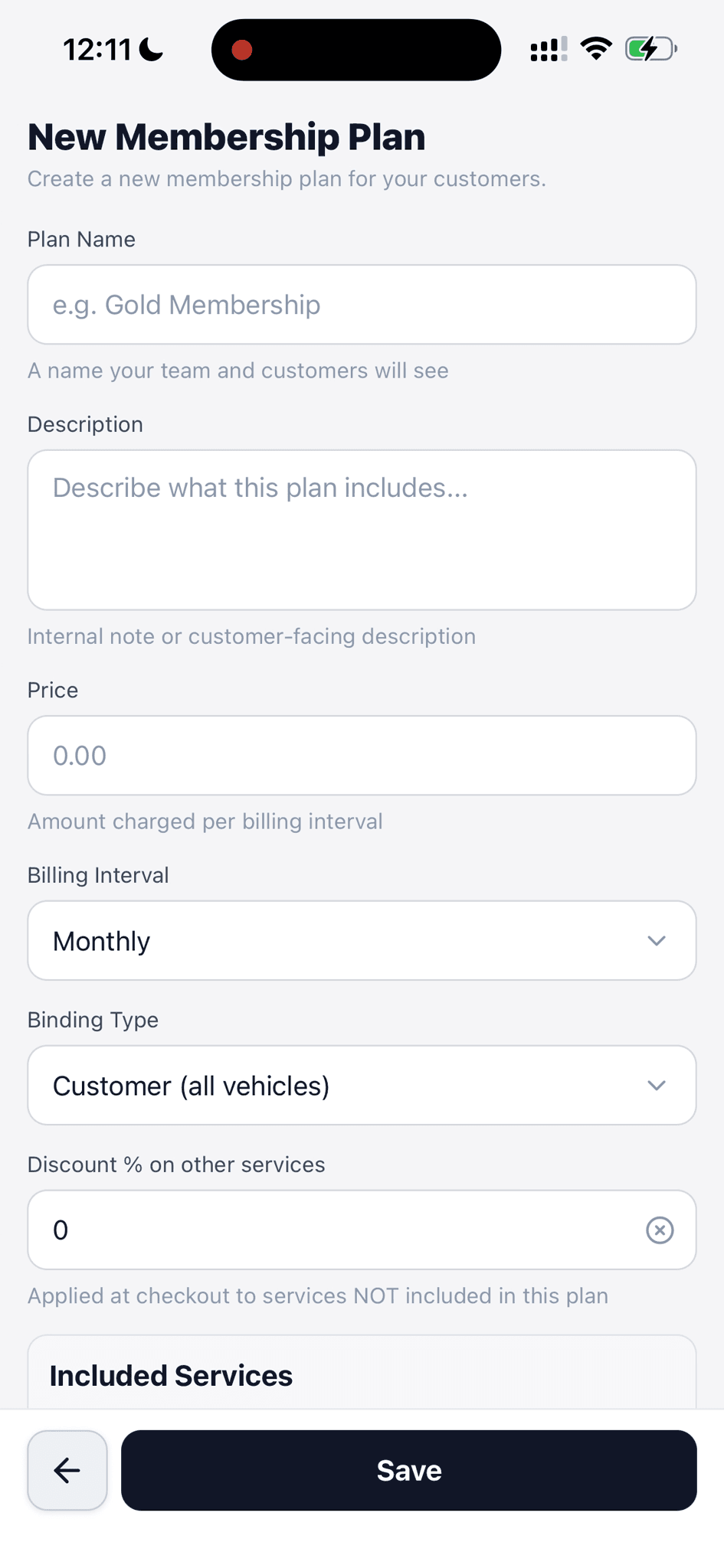
Set its name, price, interval, customer or vehicle binding, and discount.
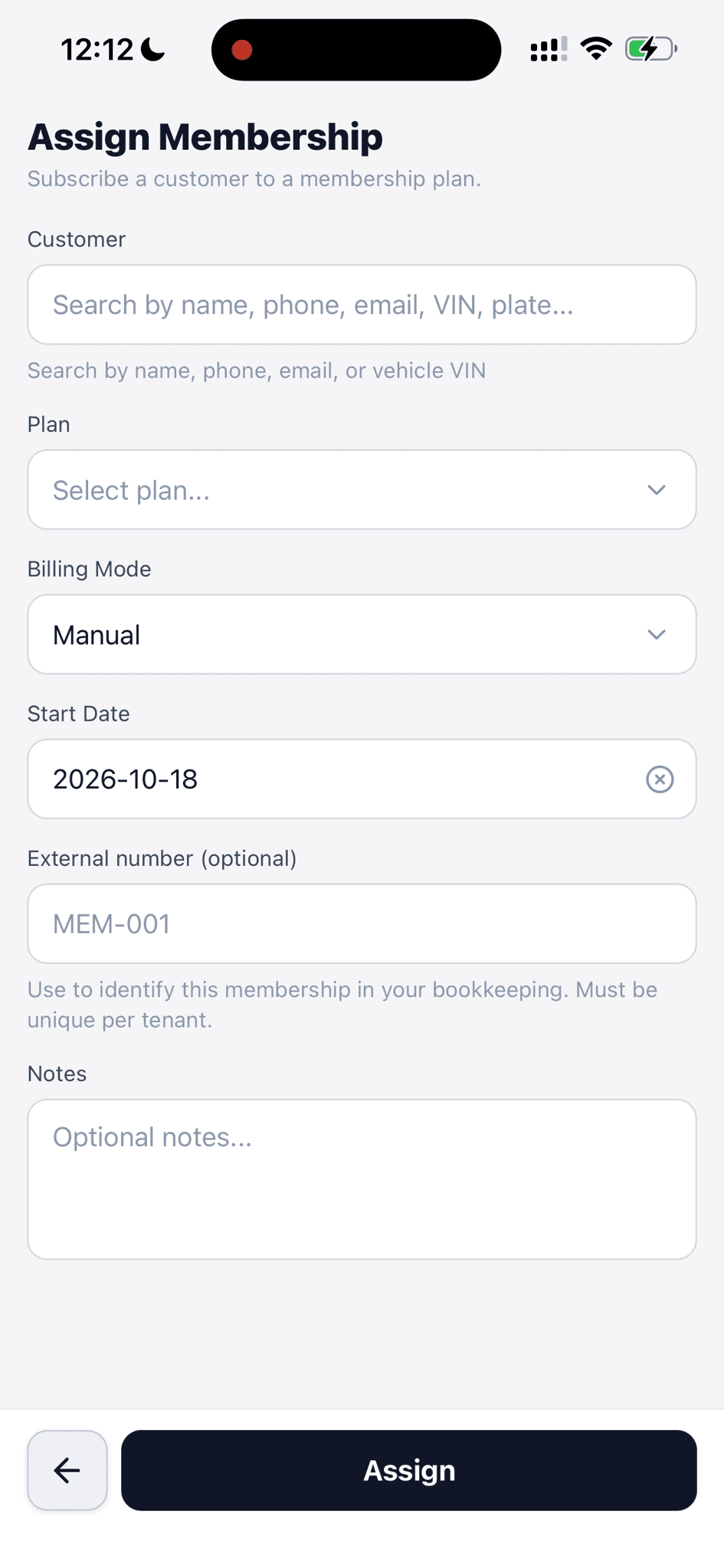
Find the customer, choose a plan and billing mode, and set the start date.
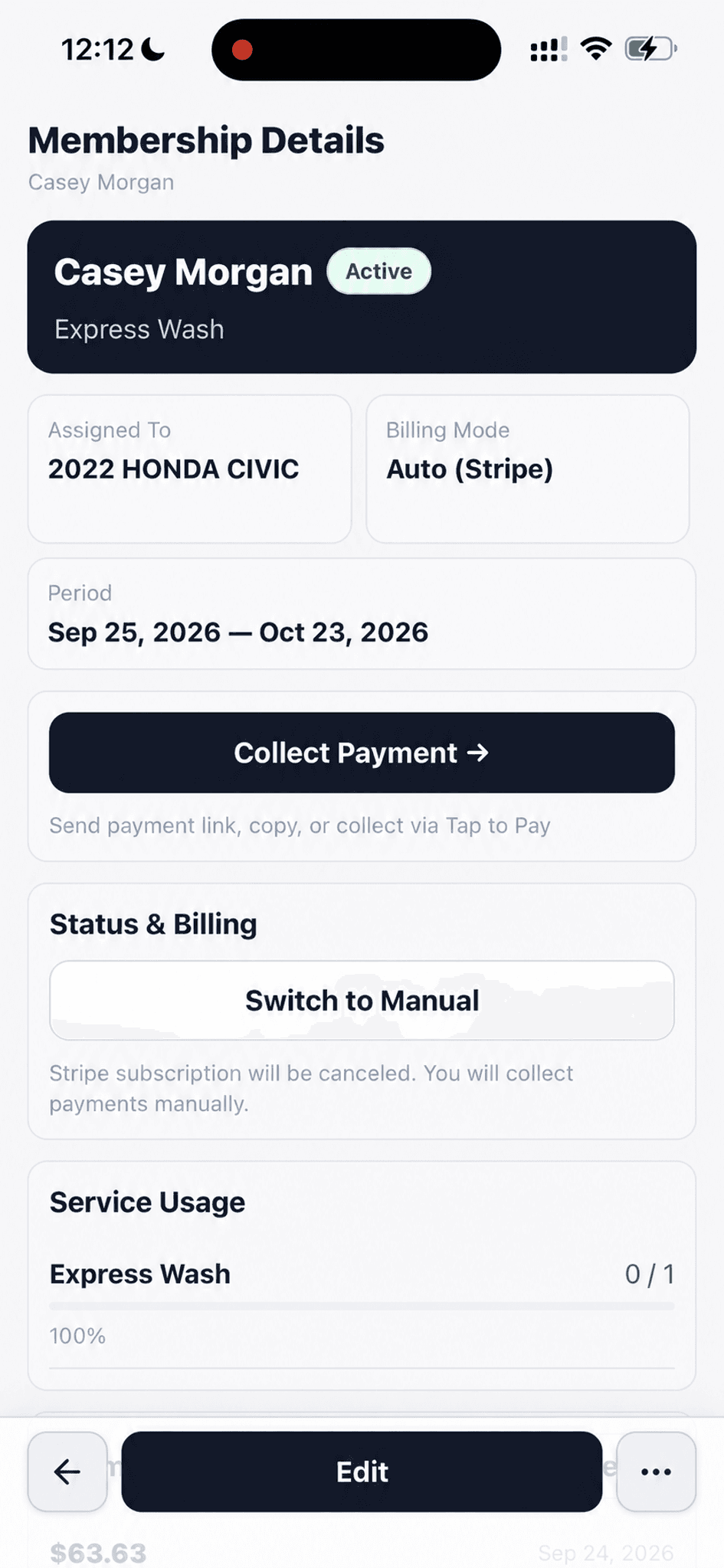
Review status, billing, period, vehicle, and included service usage.
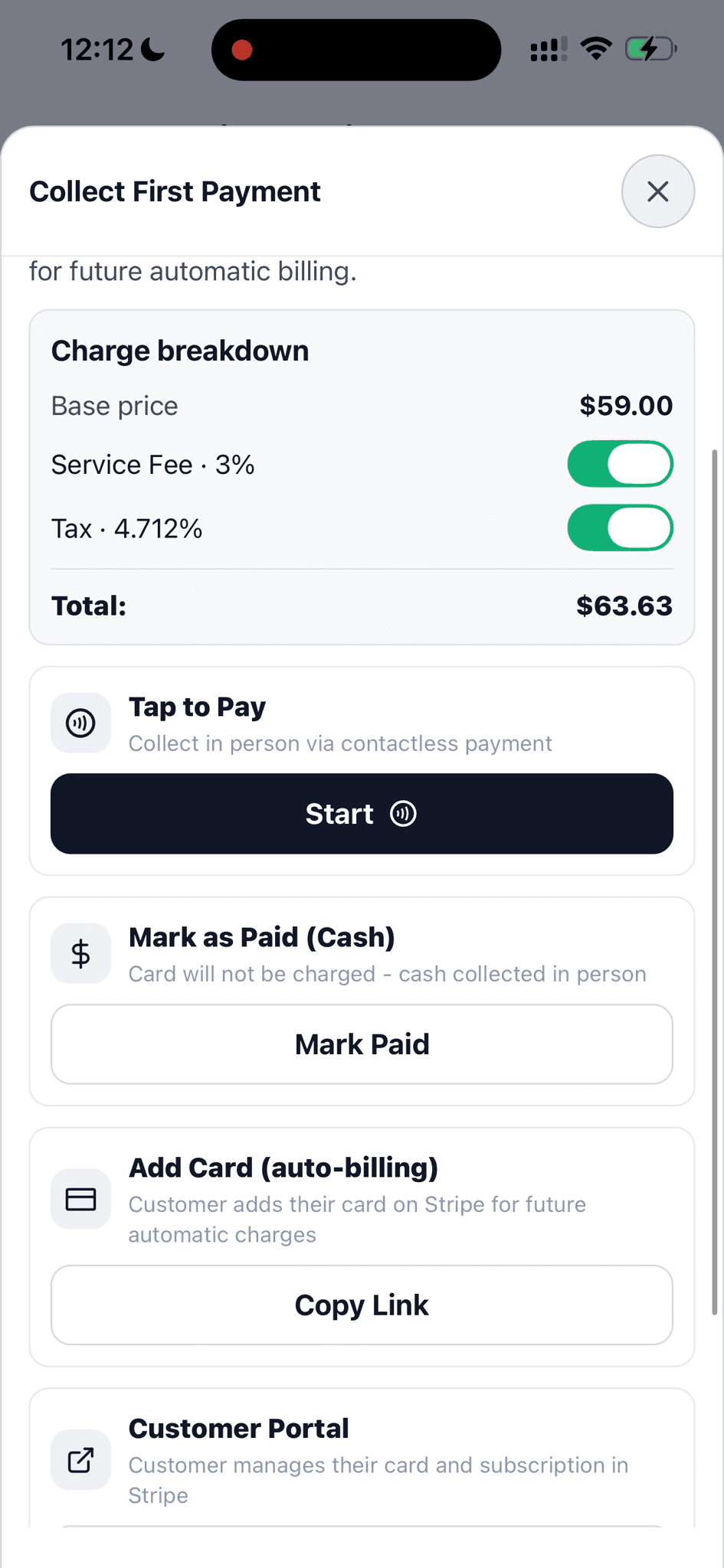
Review the total, then use Tap to Pay, record cash, or send a card link.
Create weekly, monthly, or yearly plans, assign them to customers or vehicles, and keep billing and service usage together.
Give each plan a name, description, price, and weekly, monthly, or yearly billing interval.
The team can quote the same membership terms every time.
Choose whether a plan covers a customer and all their vehicles or a specific vehicle.
The membership applies to the right person or car.
Add services to a plan and set a per-period usage limit or leave it unlimited. The member record shows usage for the current period.
Both the shop and the member have a clear view of what remains.
Set a discount for services outside the plan, mark the plan active, and choose whether it appears on the booking page.
Membership pricing and availability stay defined in one place.
Find a customer, select a plan, set the billing mode and start date, and add an optional reference number or notes.
The plan becomes a trackable subscription tied to the right customer.
See the current period, active status, and billing mode in the membership record. Switch from automatic Stripe billing to manual collection when needed.
Staff can tell how the membership is being paid without opening a separate system.
Review the charge, then collect in person with Tap to Pay, mark cash paid, or share a link for a card on file or the customer portal.
The first charge and future billing setup follow the customer's payment preference.
Walk through a real job with your services, team, and customer flow in mind.