Set up the operating core
Add the services, pricing, staff, availability, and Stripe connection your team needs to run the next job correctly.
Set up the essentials, run the next job in Auto Detailing CRM, and keep your old records available while the team gets comfortable. The move starts with real work, one job at a time.
Your existing website and historical records can stay in place during the transition.
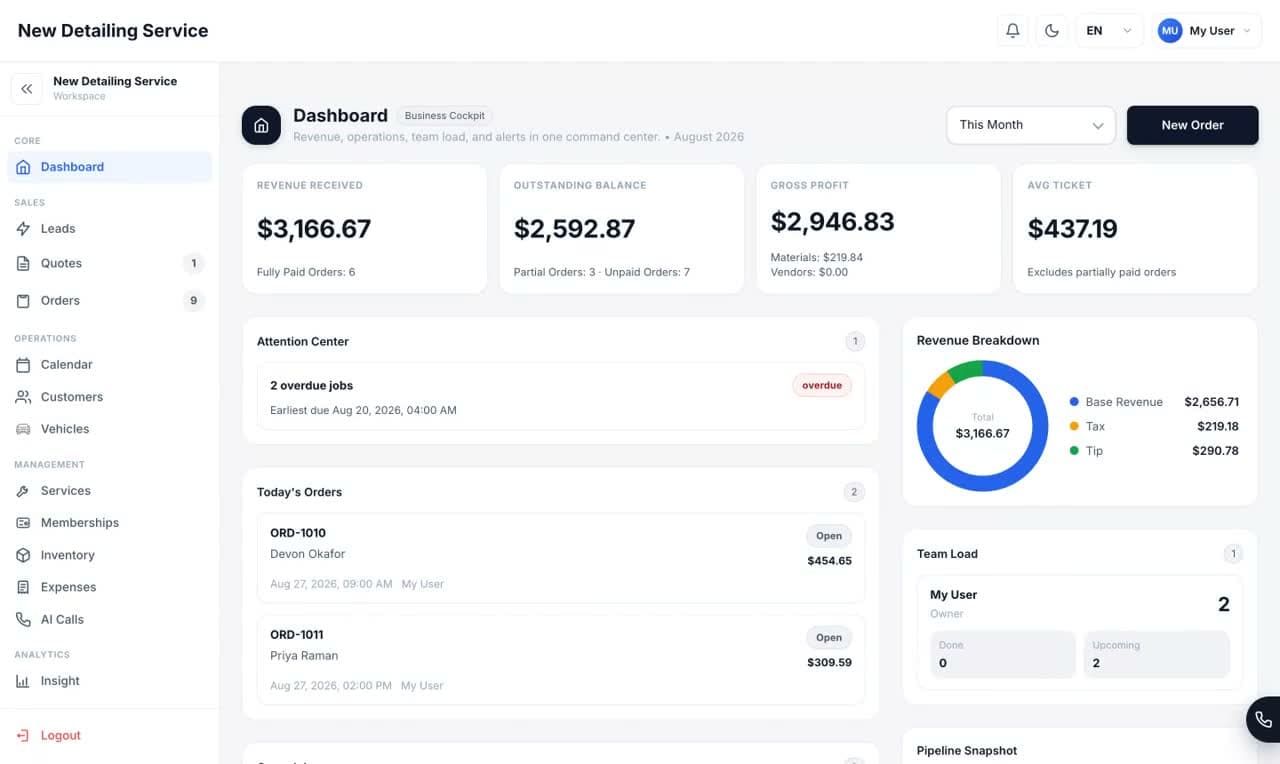
The transition
Configure the core, prove it on live work, then expand the rollout when the team is ready.
Add the services, pricing, staff, availability, and Stripe connection your team needs to run the next job correctly.
Start new calls, website leads, customers, vehicles, quotes, orders, approvals, and payments in Auto Detailing CRM.
Keep the previous system available for historical lookup while the team proves the new workflow on real work.
One connected job
A change of system should make the daily handoffs easier. Here is what the new operating path can hold together.
English and Spanish calls can become summaries, leads, or bookings without a separate front-desk inbox.
WordPress, Contact Form 7, WooCommerce, and custom forms can feed signed website leads into the operating workflow.
VIN, plate, body type, condition, photos, services, approvals, payments, and return visits stay connected.
In-person or remote signatures preserve the approved order snapshot and expose stale or revoked status after protected changes.
Tap to Pay on iPhone, Stripe Terminal, deposits, balances, tips, payment links, and receipts remain attached to the order.
Materials, inventory usage, vendor bills, subcontractor cost, collected revenue, and gross profit reach the owner view.
Your rollout, under control
Make the first live workflow reliable before asking the whole shop to change at once.
The old system can remain your reference for completed history while new and active work moves into Auto Detailing CRM.
Introduce the new booking, approval, payment, and receipt flow when the shop is ready to use it.
Prove the path from first contact to paid order before expanding the rollout across every employee and workflow.
If bulk data migration is a requirement, define the exact records and fields during a walkthrough before making the transition plan.
Questions before you move
Clear answers about records, payments, your website, and the first day in the new system.
No. A shop can begin with new and active work while keeping its previous system available for completed history. This avoids turning the first day into a risky all-or-nothing migration.
Yes. Keep the current system available while the team runs selected new work in Auto Detailing CRM. Move more of the workflow only after the shop is comfortable with the result.
Yes. Signed webhook intake supports WordPress, Contact Form 7, WooCommerce, and custom forms, so the public site does not need to be rebuilt just to start using the CRM.
Existing transaction history remains with the system and processor that created it. New Auto Detailing CRM payments run through the shop's connected Stripe account and stay attached to the new order record.
Start with the service menu, prices, availability, staff access, Stripe connection, and one complete customer-to-payment workflow. Secondary settings can follow after the core path works.
It depends on the size of the service menu, team, and historical-data requirements. The controlled approach is to configure the essentials first and move active work in stages instead of waiting for a perfect one-day cutover.
Ready for the next job?
Start with your next customer, vehicle, and order. Expand when the workflow works for your shop.