Search across the customer list
Look up a person by name or phone, or find them through a vehicle plate or VIN.
The returning customer is easy to find even when the team only has the car in front of them.
Customers
Search the customer list by name, phone, plate, or VIN. One record gives your team the contact details, source, notes, vehicles, memberships, and order history needed to take the next step.
Find a customer, open their contact record, and see the cars, memberships, and orders connected to them.
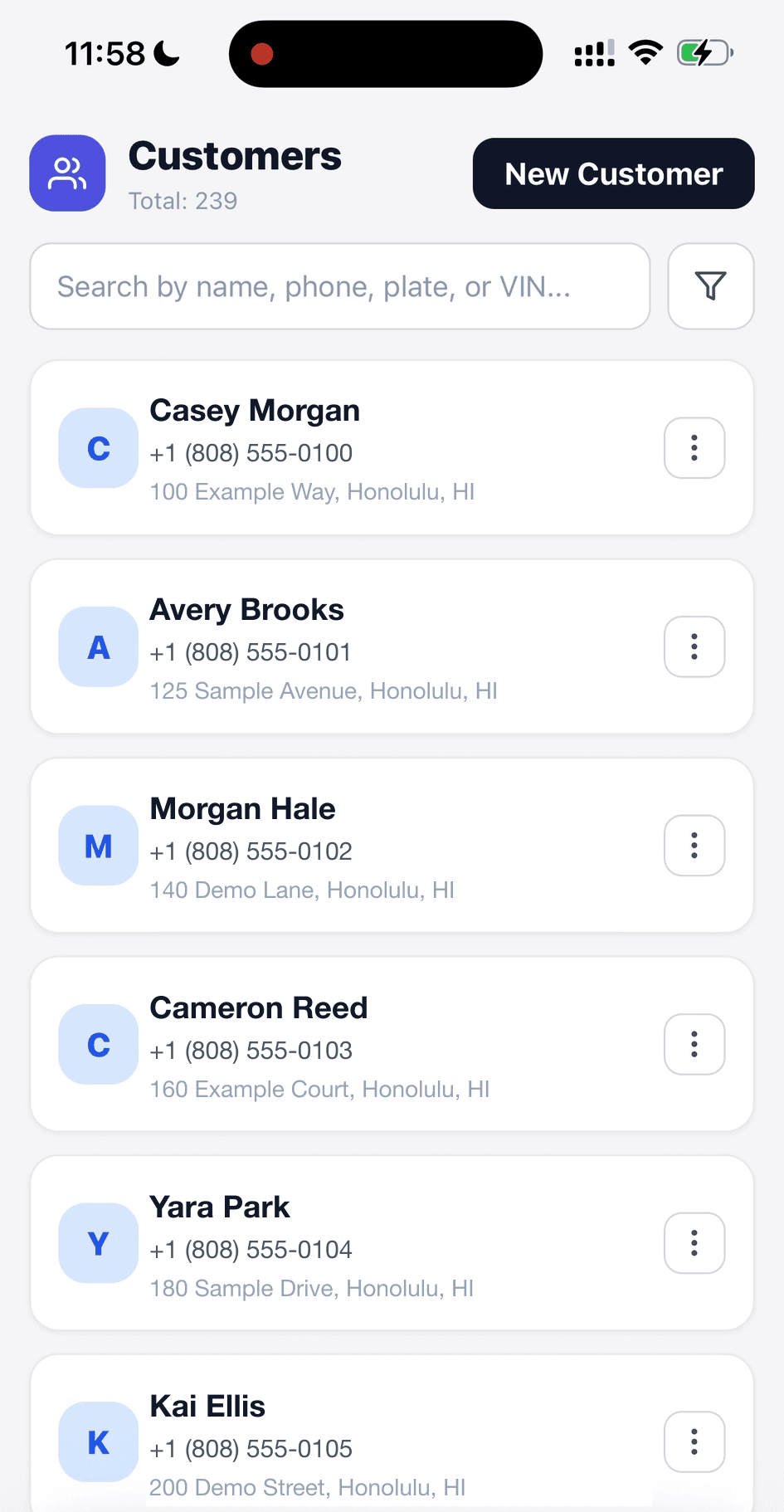
Search the list by name, phone, plate, or VIN.
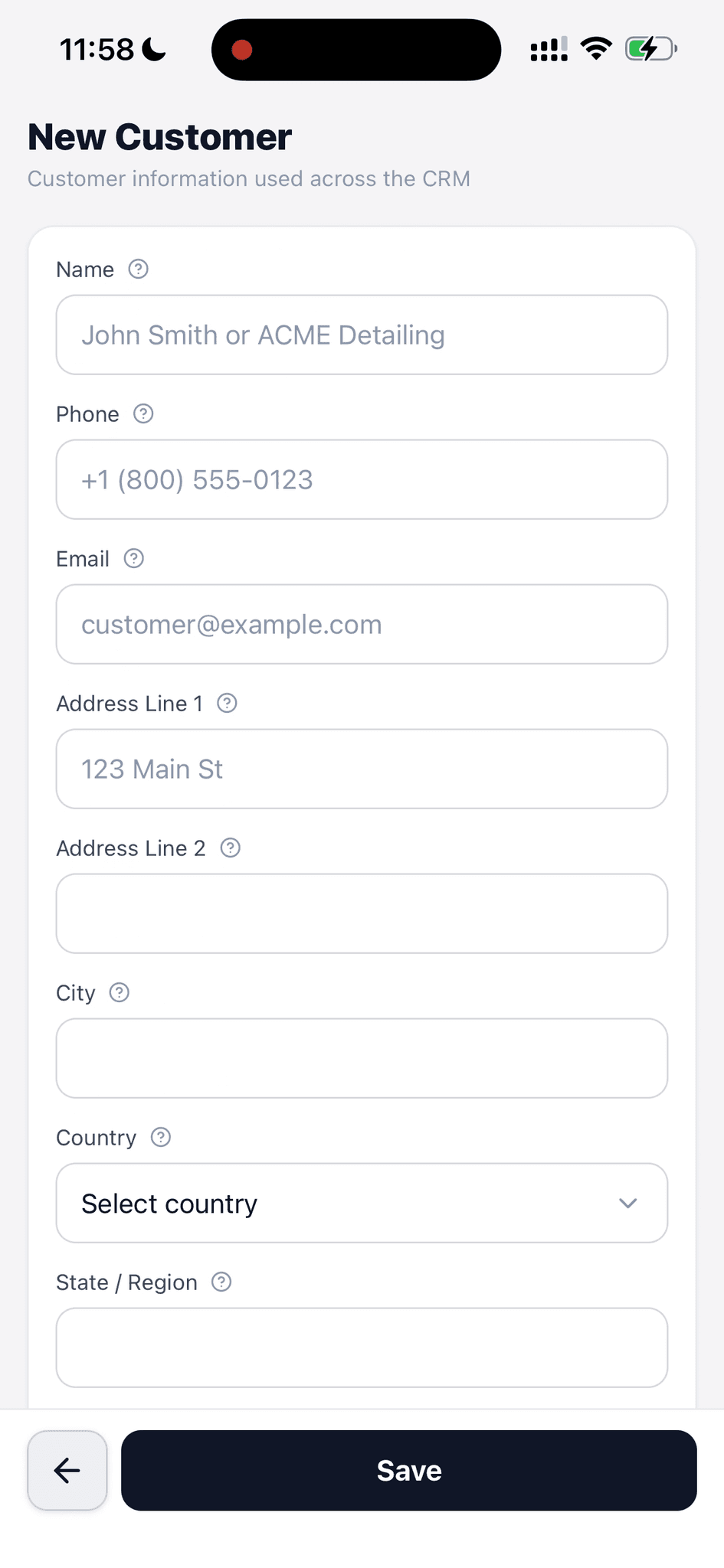
Create a contact record with the fields the shop needs for the next job.
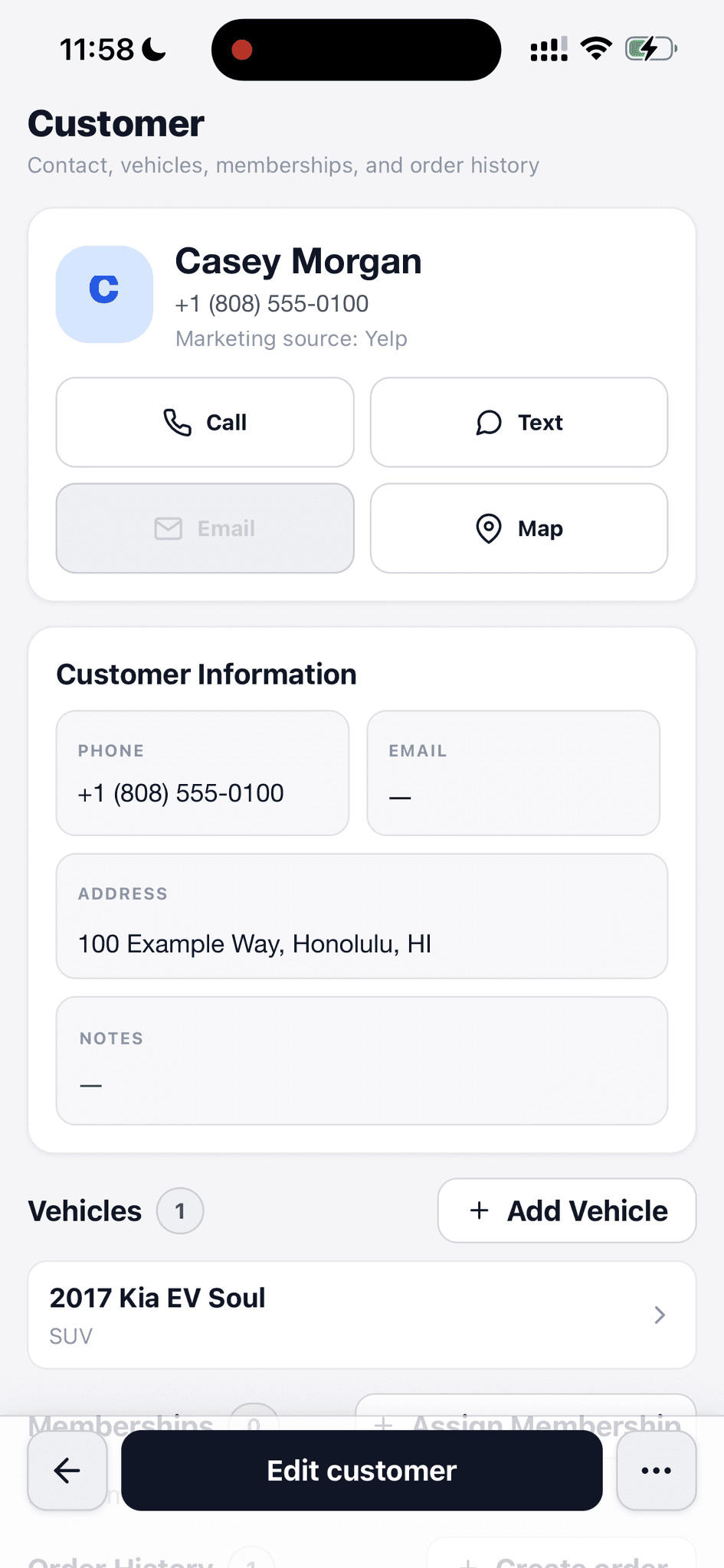
Call, text, or map the address while the source and vehicle stay in view.
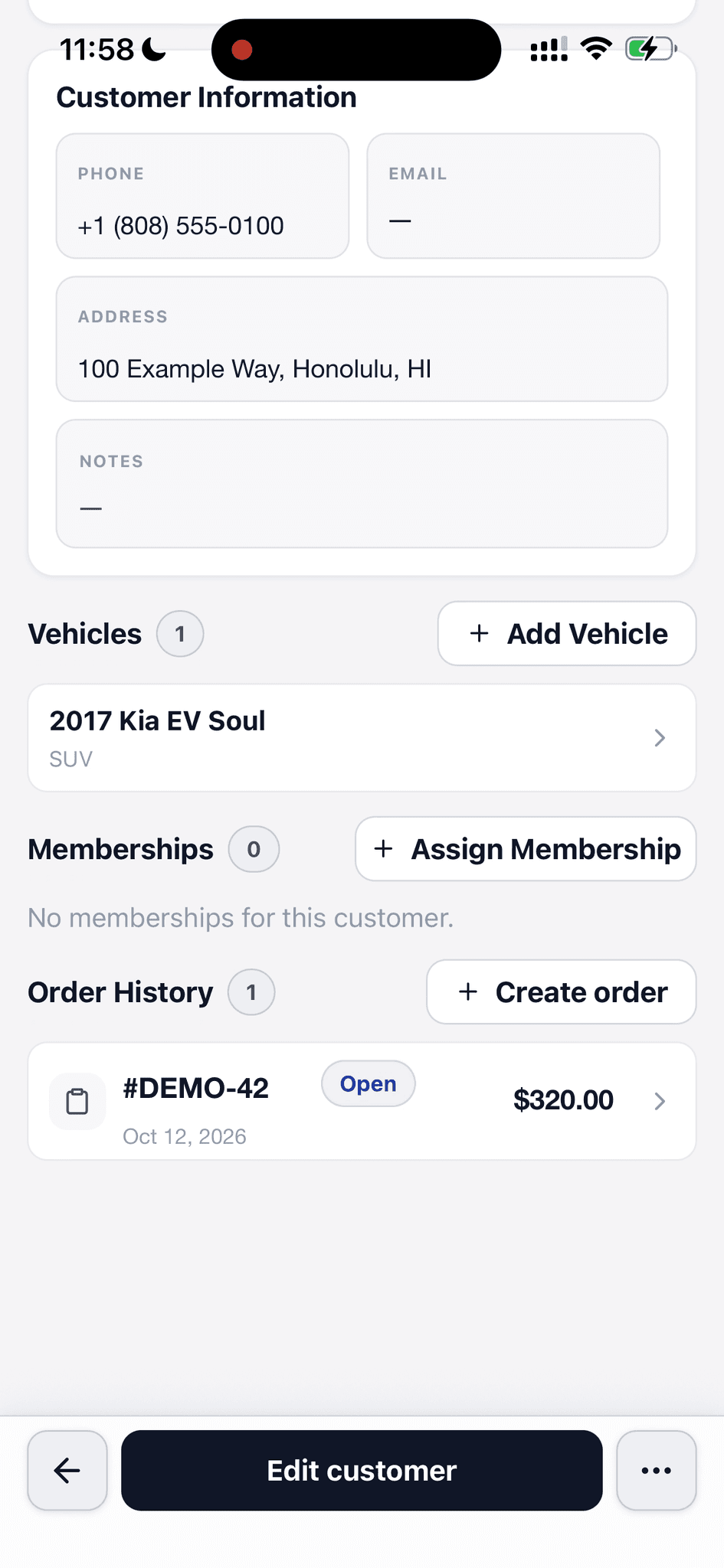
Vehicles, memberships, and past orders live on the same customer profile.
Find a customer, open their contact record, and see the cars, memberships, and orders connected to them.
Look up a person by name or phone, or find them through a vehicle plate or VIN.
The returning customer is easy to find even when the team only has the car in front of them.
Save name, phone, email, address, notes, and marketing source on the customer.
Call, text, or map the address from the same screen that holds the customer context.
Add a new customer with contact and address fields when an inquiry or job starts.
The next quote or order can use the record instead of repeating the contact details.
The profile lists the customer's vehicles, memberships, and order history together.
The team can see what is already linked before creating another car or job.
Create an order or quote, add a vehicle, or assign a membership from the customer record.
A customer call can become the next piece of work without starting over elsewhere.
Open an order from the customer's history to check its status, date, and total.
The answer to 'what happened last time?' is attached to the person who called.
Walk through a real job with your services, team, and customer flow in mind.