One lead inbox
See new and converted leads in one list. Search the list and check each request's status, source, vehicle, service, and created time.
A request has a place to go when it arrives, even if the team cannot respond immediately.
Leads
Keep a new inquiry visible from the first request to the next action. The lead record brings together contact information, requested service, source, notes, and status so the team can call, text, follow up, or convert when the job is ready.
See incoming requests, keep their context together, and move each lead toward a customer or order.
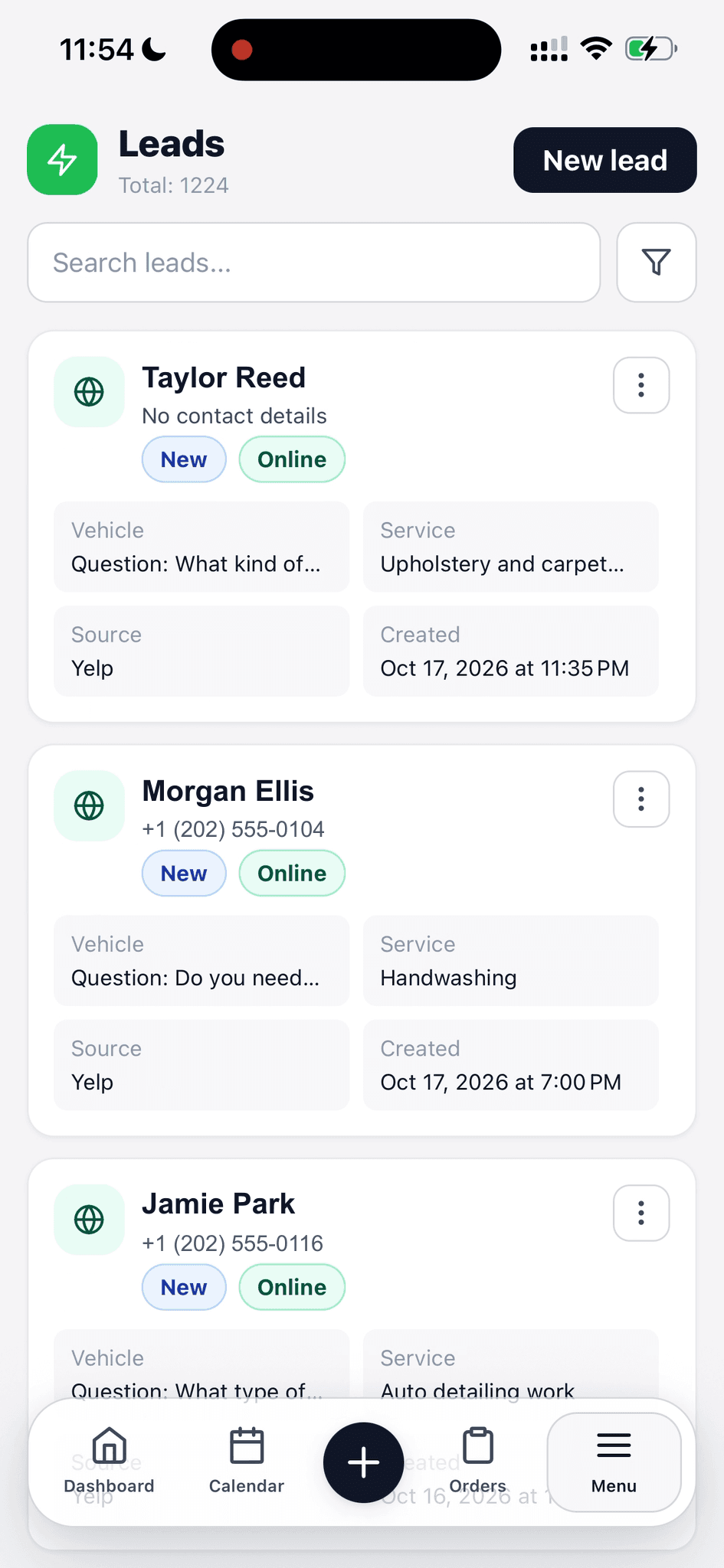
Find a request by name and see its status, source, and requested service.
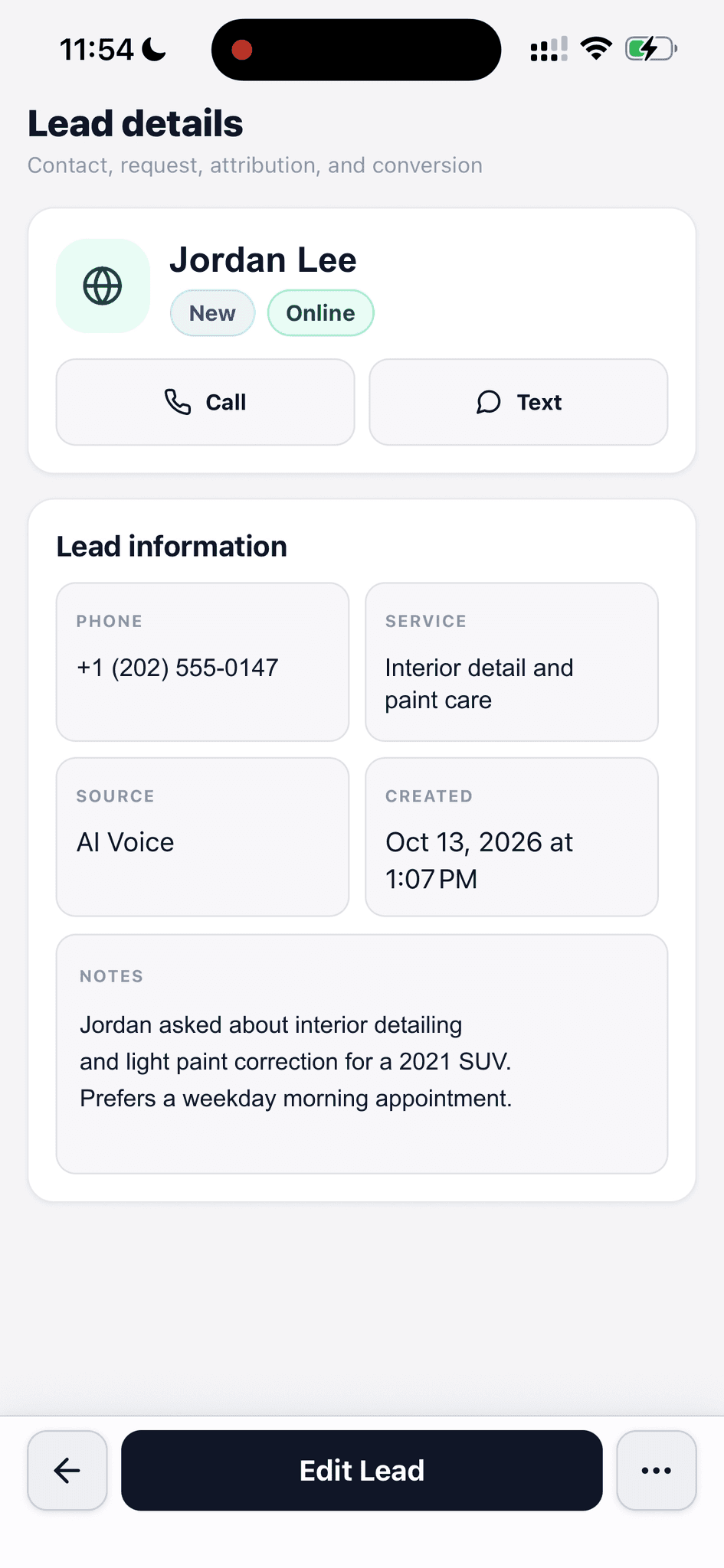
Open one record for contact actions, service details, source, and notes.
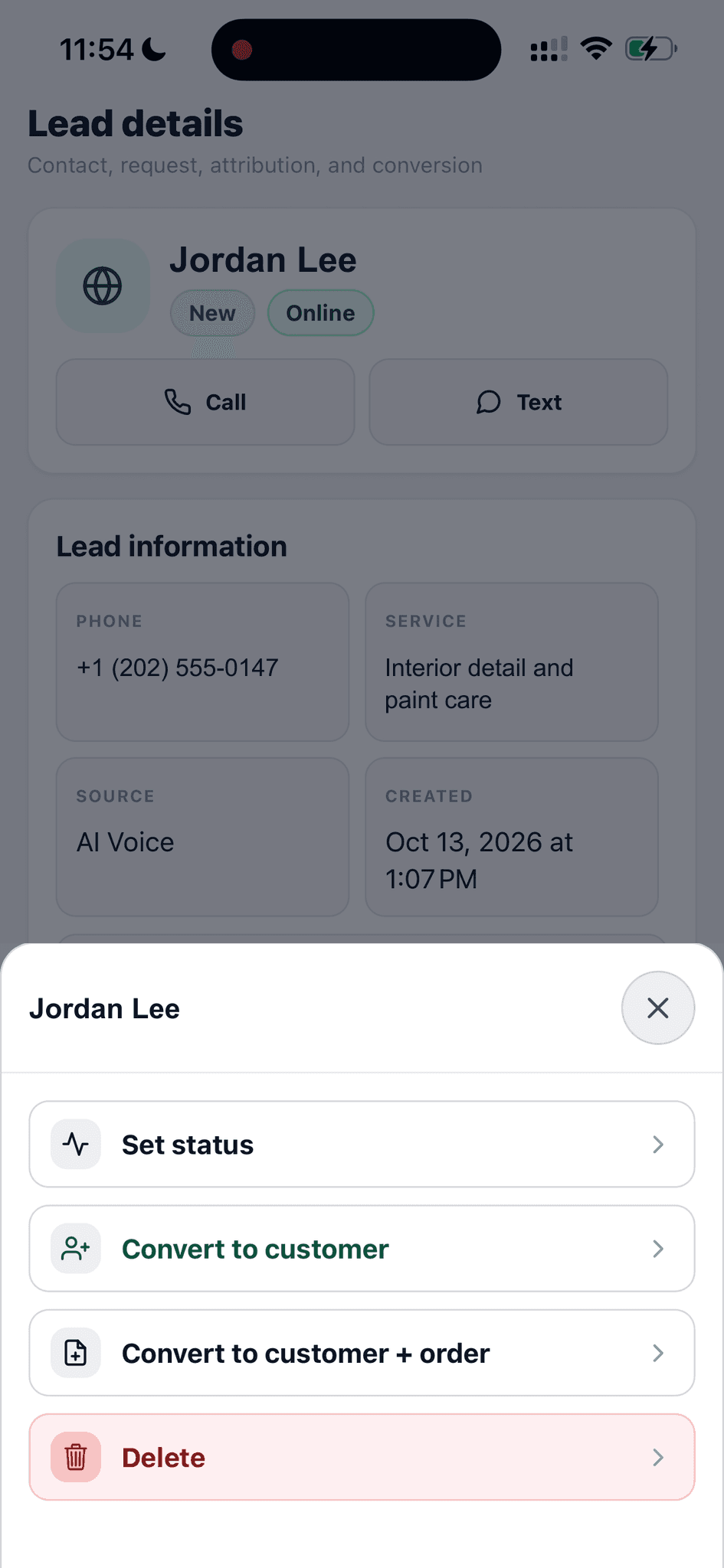
Set a status or convert the lead to a customer and work order.
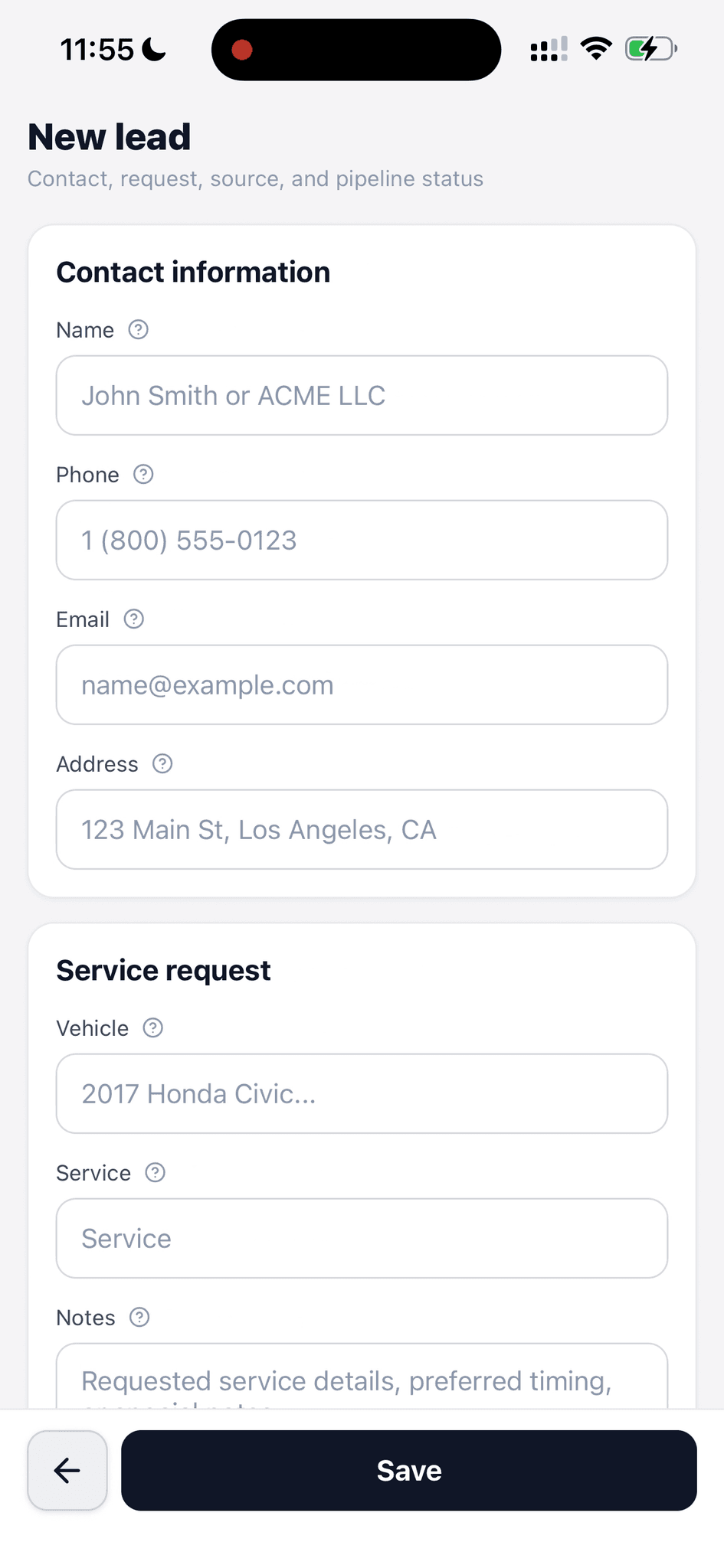
Capture a new inquiry with contact, vehicle, service, and notes fields.
See incoming requests, keep their context together, and move each lead toward a customer or order.
See new and converted leads in one list. Search the list and check each request's status, source, vehicle, service, and created time.
A request has a place to go when it arrives, even if the team cannot respond immediately.
Open a lead to review its contact details, requested service, source, created time, and notes. Call or text from the lead when a phone number is available.
Staff can see what the person asked for before choosing how to follow up.
Create a lead with a name, phone, email, address, vehicle, service, and notes. Set its status and source in the same form.
A phone call or walk-in can enter the same follow-up workflow as an online inquiry.
The lead list and detail view show where a request came from, such as Yelp or AI Voice. The new-lead form lets staff choose a source and mark a website lead.
Follow-up starts with context about how the customer found the shop.
Move a lead through New, In Progress, Converted, or Closed from the lead actions.
The team can tell which inquiries still need attention without reading every note.
The lead actions offer conversion to a customer or to a customer and work order.
The inquiry stays distinct from a booked job until staff chooses the next step.
Walk through a real job with your services, team, and customer flow in mind.