Vendor directory
Find suppliers and subcontractors by name, with their type, status, and contact details in one list.
The team can find the right outside partner when recording a cost.
Expenses
See subcontractors and suppliers beside the expenses they create. Record a cost with its vendor, category, amount, and due date; then open it to review paid and outstanding amounts, line items, and the linked order.
Keep vendors, job costs, general expenses, payment status, and balances connected to the work.
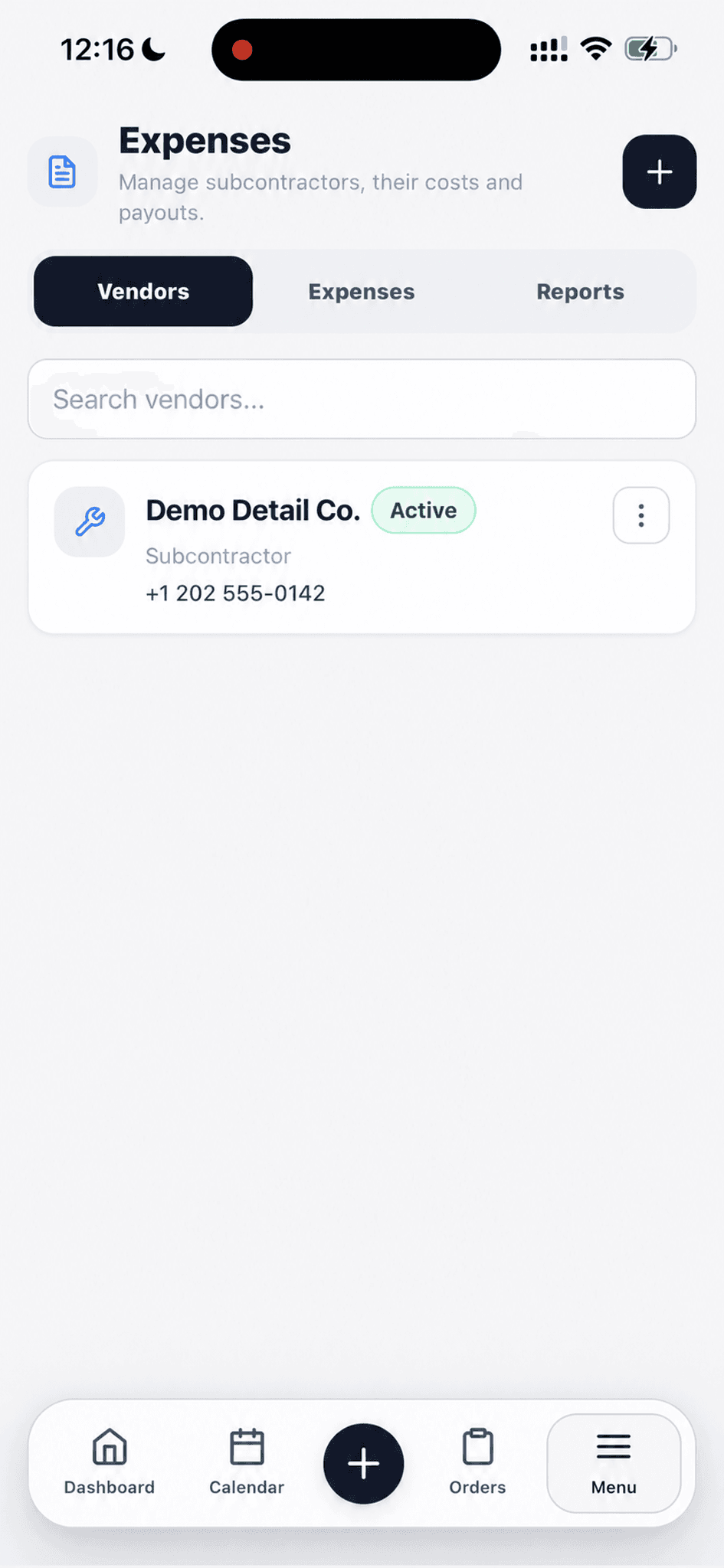
Search the directory and see who is active and how to reach them.
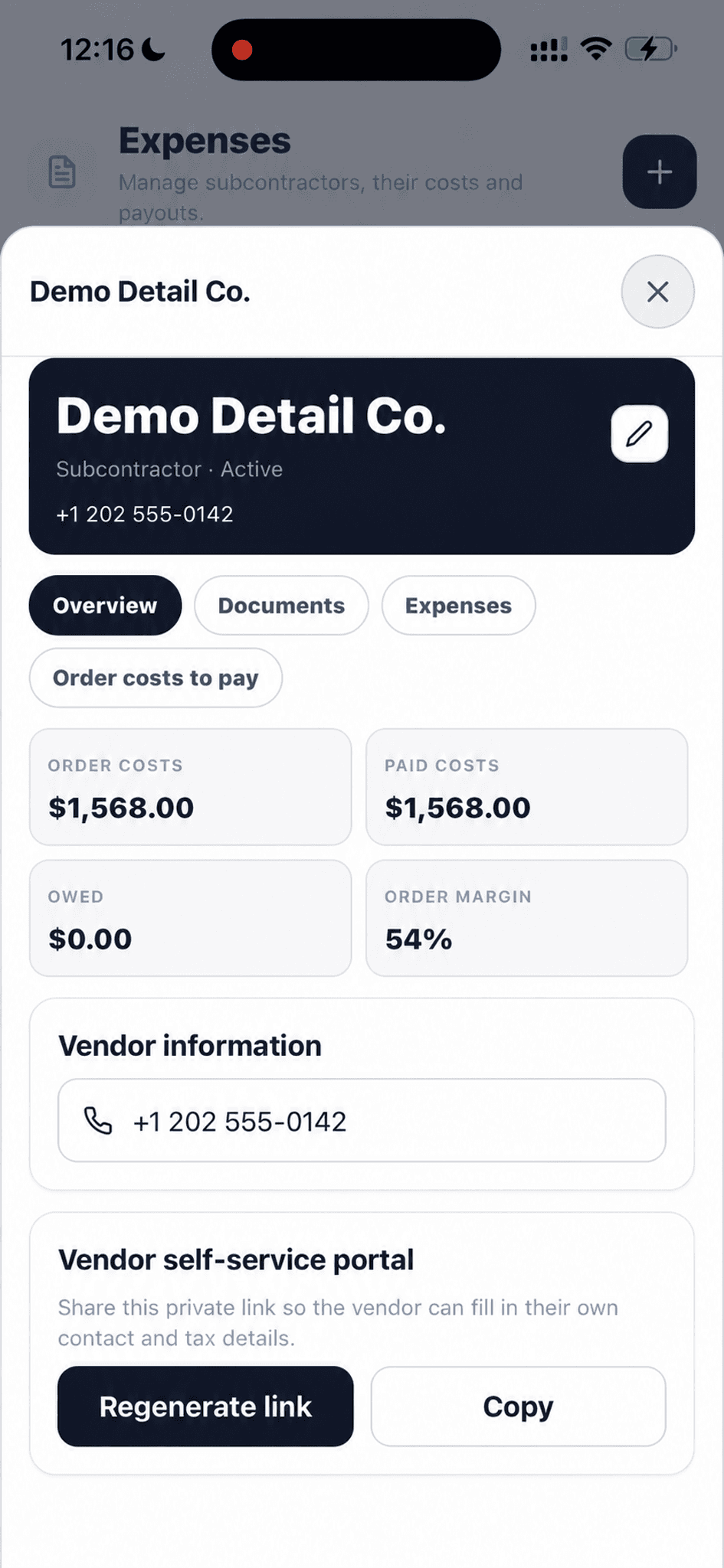
Open the vendor for order costs, paid amounts, balance, margin, and contact details.
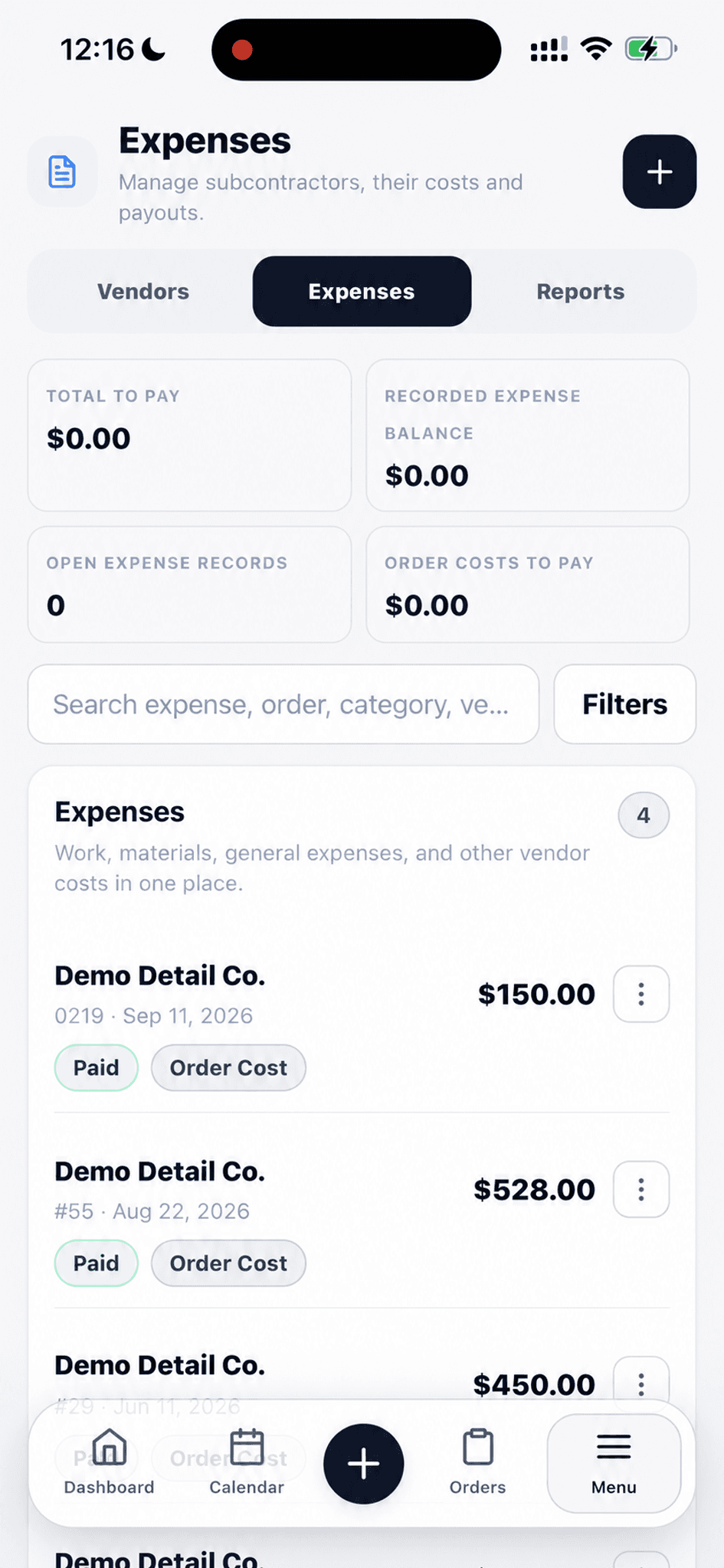
See each cost's amount, date, payment status, and order link in one list.
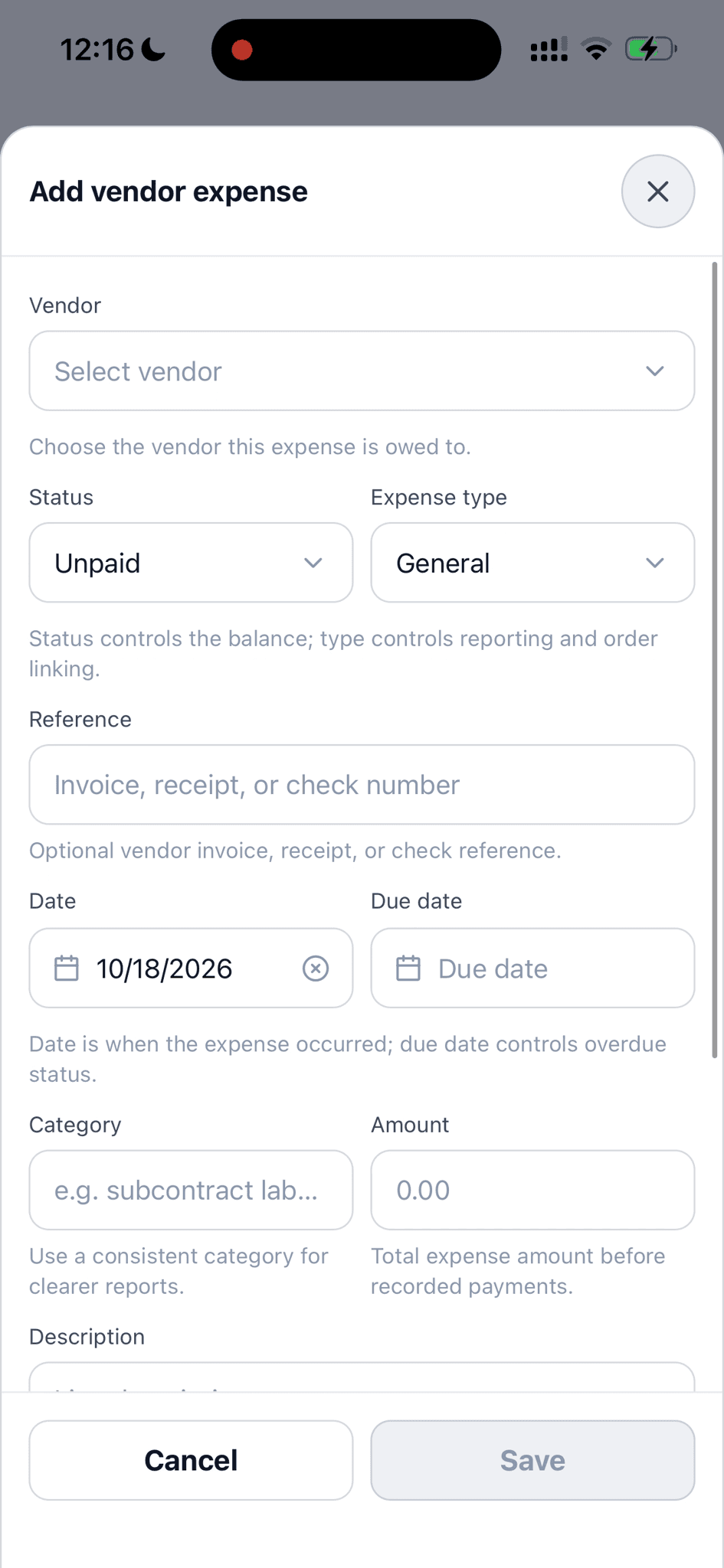
Set the vendor, type, status, reference, dates, category, and amount.
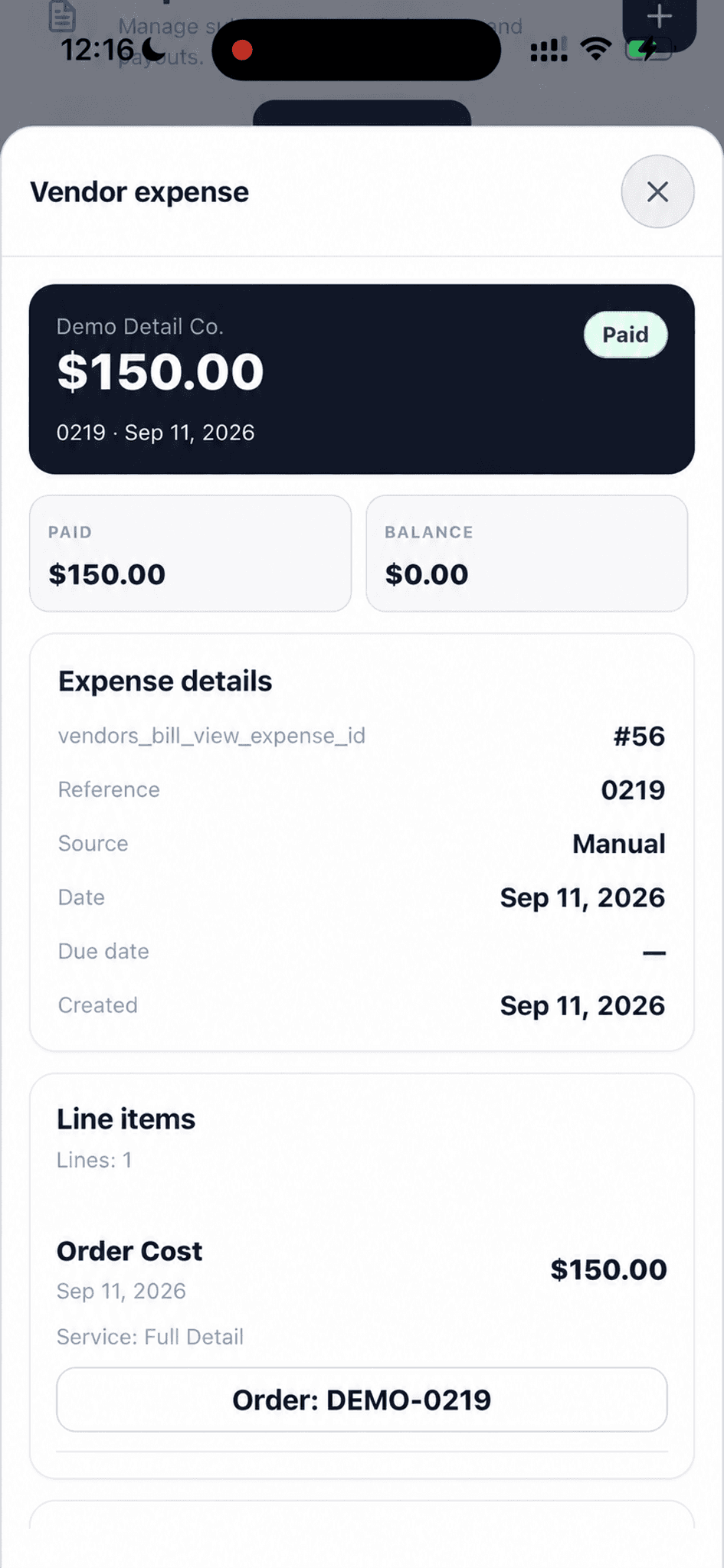
Check what was paid, what remains, and the order behind a job cost.
Keep vendors, job costs, general expenses, payment status, and balances connected to the work.
Find suppliers and subcontractors by name, with their type, status, and contact details in one list.
The team can find the right outside partner when recording a cost.
Open a vendor for order costs, paid costs, amount owed, and order margin. Their contact and self-service portal stay nearby.
The supplier record shows the financial relationship behind the work.
Search expenses and see their vendor, amount, date, paid status, and whether they are tied to an order.
Costs can be reviewed without opening every record.
Choose a vendor, paid or unpaid status, expense type, reference, date, due date, category, amount, and description.
The details needed for payment and reporting are captured when the cost occurs.
The expense record separates amount paid from balance due and shows line items and any linked order.
The cost has a clear source and a clear remaining balance.
Review recorded payments and their status on an expense; void an incorrect payment when needed.
Corrections remain tied to the same expense record.
Share a private portal link so a vendor can provide their own contact and tax details.
The vendor can keep those details current without a back-and-forth email thread.
See totals to pay, recorded expense balance, open records, and order costs to pay above the expense list.
The owner can spot unpaid work before reviewing individual lines.
Walk through a real job with your services, team, and customer flow in mind.